

Best Link Shorteners for Marketing (A Quick Guide)
See how the best URL shorteners for marketing campaigns compare on branded domains, UTM tracking, and free plans, and learn how to pick the right one.
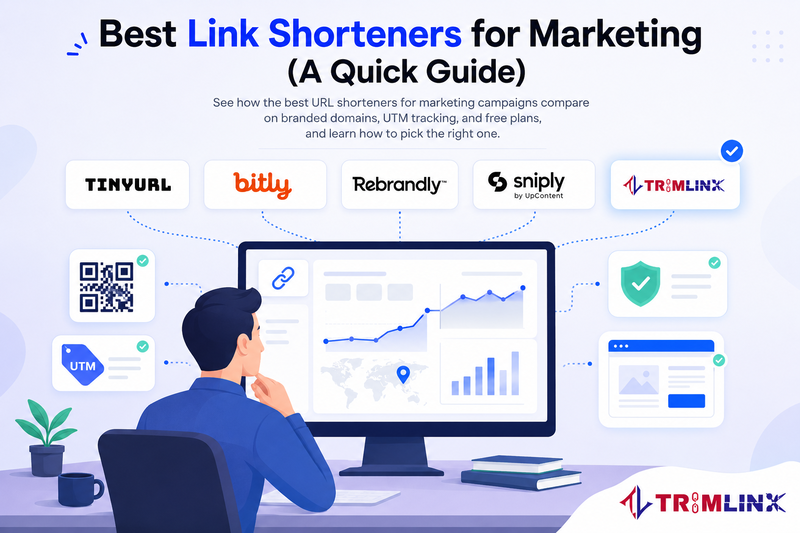

Best URL Shorteners for Marketing Campaigns: How to Pick One That Actually Works
Paste a product link into a marketing email and watch it stretch across three lines, full of random letters and tracking codes. Nobody wants to click that. Honestly, it looks a little suspicious, like a link a stranger would send you at 2 a.m.
That messy address is the real reason people go looking for a URL shortener in the first place. It is not really about saving characters. Marketers want a link that looks safe, loads fast, and tells them exactly what happened after someone tapped it.
This guide walks through why a link shortener matters for marketing campaigns, which features actually move the needle, and how five well known tools, Trimlink included, compare on the things a marketing team cares about. Think of it as the conversation you would have with a colleague before you commit to a tool.
Why Does Every Marketing Campaign Need a URL Shortener?
Every channel a marketer touches, email, social, SMS, print, runs into the same length problem. A destination page loaded with UTM tags can easily run past 100 characters before you have even started. Try fitting that into a text message and see how far you get.
A URL shortener solves the obvious problem first. It turns that long string into something a person can actually read and trust. But for marketing campaigns, the bigger win shows up after the click. A good short link tells you which channel, which ad, and sometimes even which city sent you that visitor.
That is the real requirement behind most "best URL shortener" searches. Marketers are not chasing a shorter link for its own sake. They are chasing proof that a campaign worked, and a clean, trackable link is one of the few places that proof reliably shows up.
How Link Shortener Features Shape Your Marketing Strategy
Not every link shortener does the same job. Some are built for a single quick link. Others sit inside a full marketing stack, next to your CRM and your ad platform.
The features you pick change what your team can actually learn from a campaign. Branded domains change whether people trust a link enough to click it in the first place. Bitly, one of the category's biggest names, has reported that switching to a branded short link is one of the fastes1t ways to lift click-through rates, and one of its customers reported roughly a 22 percent CTR increase after making that switch. UTM tracking changes whether you can tell a Facebook click from a newsletter click. Bot filtering changes whether your click count means anything at all, since a share of raw traffic on any link is automated rather than human.
Put together, these features turn a link shortener from a small convenience into a real piece of your campaign performance data.
The One Feature Every Campaign Should Not Skip
If you can only prioritize one feature, make it UTM tracking, paired with analytics you can actually read. A short link with no tagging tells you a link got clicked. That's it. Add UTM parameters, source, medium, campaign, and the optional content and term tags, and that same click tells you where someone came from and which version of your message worked.
That single habit, tagging a link before you shorten it, is the difference between guessing which channel performed and knowing it for certain.
How to Use Link Shorteners in Your Email Marketing Strategy
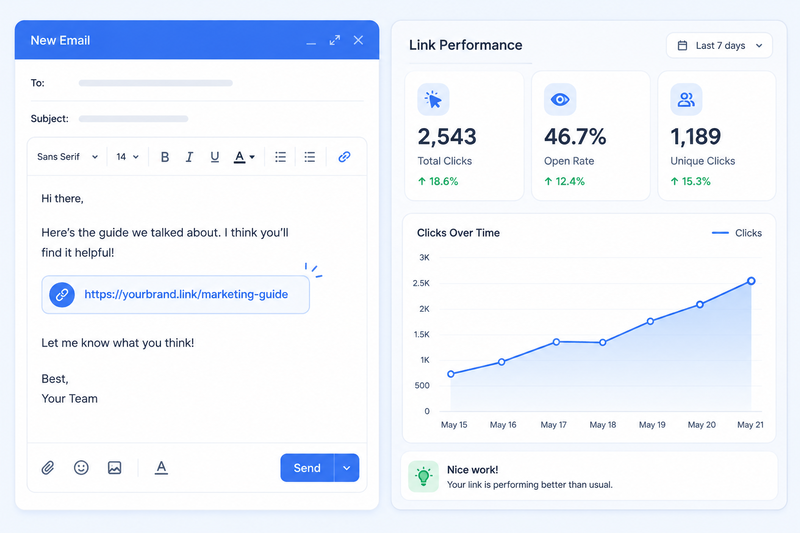
Email is one of the easiest places to watch a shortener earn its keep. Long tracking links break across email clients, trip spam filters, and look messy next to a clean subject line. Here is a sequence that works for most campaigns.
Pick the exact landing page first. Decide where the click should land before you touch a shortening tool. Editing a destination later should be the exception, not the plan.
Tag the link with UTM parameters. Set the source to email, the medium to your sending platform, and a campaign name you will still recognize in a report three months from now.
Shorten and brand the link. Run the tagged URL through a link shortener using your own branded domain, so the link in the inbox matches the sender people already trust.
Send yourself a test. Click the link from your phone and your inbox before it reaches your list. A broken or misdirected link is far cheaper to catch here than after send.
Drop the link into the email. Use it in the body copy and, if your platform allows it, in the button too, so both spots report the same clean data.
Check the numbers after send. Come back a day or two later. Look at clicks by device and location, not just the total. That is often where you spot a real problem, like mobile users struggling with something desktop users are not.
The order matters more than it sounds. Tag before you shorten, and test before you send. Do it the other way around and you end up shortening the same destination twice, which quietly breaks your tracking history.
Top 5 Best Link Shorteners for Marketing Campaigns, Compared
There is no single best link shortener for every team. A five person startup and a fifty person agency need different things from the same category of tool. Here is how five popular options compare on what actually matters for a marketing campaign, based on each provider's published plans and features as of August 2026.
A quick note on the numbers above. Pricing and free tier limits shift often in this category, so treat this table as a snapshot rather than a promise, and check each provider's own pricing page before you commit to one.
Trimlink
Trimlink leans into automation. Its free plan already includes unlimited QR code generation, an unlimited UTM builder, and AI Insights, a chat style assistant you can ask a plain question like "which city sent the most real clicks today." Paid tiers add more branded domains, team seats, and workspaces, plus AI generated landing pages for link in bio style campaigns. Bot filtering and role based access control, deciding who on your team can edit a link versus just view it, are included even on the free plan, which is not always true elsewhere on this list.
Bitly
Bitly is the name most people already know, and that familiarity is worth something in a category built on trust. Its free plan has grown noticeably lighter over the past couple of years, so most marketing teams move to a paid tier fairly quickly once they need a branded domain. Where Bitly earns its price is integration depth. It plugs directly into ad platforms, CRMs, and reporting tools a larger marketing team is probably already using.
TinyURL
TinyURL has been around since 2002, and it still does the one thing it was built for extremely well: turning a long link into a short one instantly, with no account required. That simplicity is also its ceiling. There is no built in UTM builder and no location based targeting, so a marketing team chasing deeper campaign data will likely outgrow it fast.
Rebrandly
Rebrandly's strength is branded link management, with a genuinely useful extra: you can change a link's destination after it has already gone out, without breaking the short URL people clicked. That is handy when a landing page moves or a typo slips through. The catch is that tracked clicks stay capped by plan even once you are paying, so high traffic campaigns need to keep an eye on that limit.
Sniply
Sniply solves a different problem than the other four tools here. Instead of only shortening your own links, it lets you add a call to action banner on top of content you are sharing, including articles you did not write. Share someone else's post and still point readers back to your own offer. It is a strong fit for teams doing heavy content curation, and a weaker fit if your marketing is mostly built around your own pages.
Free vs Paid: Why Marketers Still Reach for Free URL Shorteners
A free URL shortener is not just for people avoiding a credit card. Plenty of marketing teams keep a free plan running for interns, one time campaigns, or side projects that never justify a monthly invoice.
The tradeoff is usually volume and history. Free tiers cap how many links you can create each month and how long they keep your click data before it rolls off. For a single product launch or a small local campaign, that ceiling rarely matters. For an agency running a dozen client campaigns at once, it shows up fast.
A sensible rule of thumb: start free, and only pay once a specific limit, like link volume, team seats, or data history, is actually costing you something real. Upgrading a month too late rarely hurts. Paying a year too early quietly does.
How to Handle Broken Links From Shortened URLs
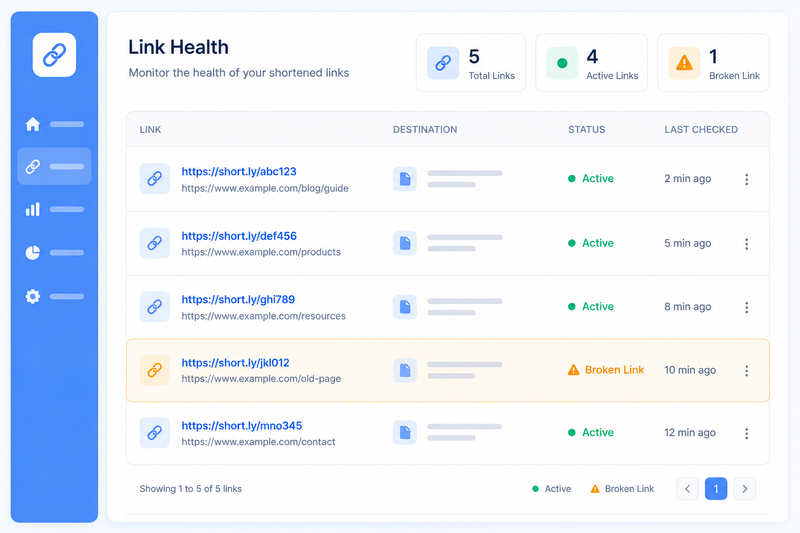
A broken link is one of the quieter ways a campaign loses money. Nobody complains loudly about a 404 page. They just leave, and your click count still looks fine, because technically the click happened, right before it went nowhere.
Here is a simple routine for keeping shortened links healthy.
Audit your active links on a schedule. Once a month, skim your dashboard for links pointing at pages you have since moved, renamed, or taken down.
Figure out why a link broke before you fix it. A moved page needs a redirect. A deleted page needs an entirely new destination. Treating every broken link the same way just sets up the next one.
Edit the existing link instead of creating a new one, when you can. Most modern link shorteners let you update a destination without changing the short URL itself, which protects any printed QR codes or old social posts still pointing at it.
Set a custom error page for anything you cannot fix right away. A branded "this page moved" screen with a link back to your homepage keeps far more visitors than a plain browser error does.
Watch for a sudden drop in clicks, not just a broken link report. A steep, unexplained dip on a link that used to perform well is often the first real sign something downstream broke.
None of this needs to be complicated. It just needs to become a habit, the same way you would never launch a campaign without checking the subject line first.
Which URL Shortener Is Right for Your Marketing Strategy?
Skip the "best overall" lists for a second and ask what your last three campaigns actually needed. That answer usually points to the right tool faster than any comparison chart does.
A short checklist tends to work well here.
If brand trust matters most, prioritize a tool with easy branded Short domain setup. A recognizable link consistently earns more confident clicks than a generic one.
If you run multi channel campaigns, prioritize deep UTM tracking and a dashboard that breaks clicks down by source, not just a total count.
If you print anything, from flyers to packaging, prioritize a solid QR code generator with editable destinations, so a physical print run never has to be reprinted over one broken link.
If you manage a team, prioritize access control and workspaces, so a junior team member cannot accidentally edit a live campaign link.
If your budget is tight or you are still testing an idea, prioritize a generous free plan over a feature you might use once.
Most teams end up caring about two or three of these more than the rest. Rank those first, and the shortlist gets short fast.
Where Trimlink Fits Into the Picture
Out of the five tools above, Trimlink is the one built most around automation and location data. If your marketing campaigns lean on regional targeting, printed QR codes, or a small team that does not want to hire a data analyst just to read a dashboard, its feature set lines up well.
The AI Insights assistant is worth calling out on its own. Instead of exporting a spreadsheet to spot a dip in performance, you can ask a direct question about your traffic and get an answer in plain language. Paired with GPS location tracking data and a free plan that already includes UTM tracking and unlimited QR codes, it is a reasonable starting point for a marketing team that wants a fuller toolkit without an enterprise contract on day one.
That said, Bitly's integrations, Rebrandly's editable links, and TinyURL's sheer simplicity are all valid reasons to pick something else. The right shortener is the one that matches how your team actually works, not the one with the longest feature list.
Frequently Asked Questions
Does a shortened link hurt my SEO?
No, not directly. A shortened link that redirects to your page does not change how search engines rank that destination page. The one thing to watch is using shortened links for your own internal site navigation, which is not what these tools are built for.
Can I customize what a shortened link says?
Yes, on nearly every paid plan and quite a few free ones. This is usually called a custom alias or a custom slug, and it lets you turn a random string into something readable, like yourbrand.com slash summer sale.
Are free URL shorteners safe to use for a real business?
Generally yes, as long as the provider offers HTTPS, some form of bot or spam filtering, and a visible privacy policy. The bigger risk with a free tier is usually a low link or click cap, not security.
Do shortened links expire?
It depends on the tool and the plan. Some links stay active indefinitely unless you set an expiration date yourself. Always check a provider's policy before relying on a link for something long term, like a printed QR code.
What is the difference between a URL shortener and a QR code?
A URL shortener creates a short link for digital sharing. A QR code is a scannable image that usually points to that same short link, which makes it the natural bridge between offline materials, like posters or packaging, and an online destination.
Can I change where a link points after I have already shared it?
On many modern platforms, yes. This is genuinely useful if a landing page moves or you spot a typo after the fact. Just confirm the specific tool you are using supports it before you print or publish a link somewhere permanent.
Is there a limit on how many links I can shorten for free?
Almost always, yes. Free plans in this category typically cap you somewhere between a handful and about 100 links a month. Check the exact limit before you plan a campaign around a free tier.
Do shortened links work well on mobile and in text messages?
Yes, and this is where they earn their keep the most. A short, clean, branded link is far less likely to get cut off or flagged as suspicious in a text message than a long tracking URL.
A shortener will not fix a weak subject line or a slow landing page. What it will do is tell you, clearly, what happened after someone clicked, so your next campaign is a little smarter than your last one. Start with what your team actually needs, whether that is trust, tracking, or just a fast clean link, and let that decide the tool, not the other way around.
Read the Full Comparison
This preview introduces the essentials, while the full article explores all five tools, their strengths and limitations, a detailed comparison table, and analytics capabilities. You’ll also find a practical step-by-step method for choosing the right shortener. See how Trimlink compares with Bitly, Rebrandly, TinyURL, and Sniply beyond marketing claims.
Read the full blog: What are the best URL shorteners for marketing campaigns

Comments
No comments yet. Be the first to comment!